
Yesterday changed everything. Well, at least in the laptop world.
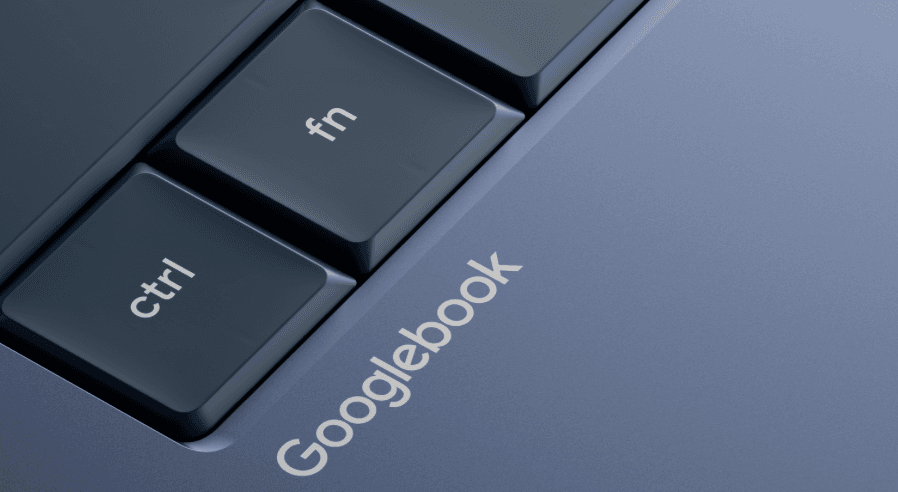
On May 12, 2026, Google dropped what might be the most significant hardware announcement since the original Chromebook debuted 15 years ago. They’re calling it the Googlebook, and it’s not just another laptop with AI features slapped on top. This is something fundamentally different a machine designed from the ground up to make artificial intelligence feel less like a separate tool and more like an invisible assistant working alongside you.
If you’ve been watching the AI laptop race between Google, Apple, and Microsoft, this announcement just cranked the intensity up several notches.
What Exactly Is a Googlebook?
Let’s cut through the marketing speak for a second. The Googlebook is Google’s answer to a simple question: what would a laptop look like if we designed it today, knowing everything we know about AI, instead of just bolting AI features onto decades-old computing paradigms?
The answer, according to Google, involves rethinking one of the most fundamental elements of computing that little arrow you’ve been staring at your entire digital life. Yes, we’re talking about the cursor.
Google has replaced the traditional cursor with something they’re calling the “Magic Pointer,” and it’s powered by Gemini, Google’s flagship AI model. Here’s how it works: you wiggle your cursor (yes, wiggle it more on that in a moment), and Gemini springs to life, offering contextual suggestions based on whatever you’re pointing at.
Hover over a date in an email? Gemini suggests creating a calendar event. Select an image of your living room and a picture of a couch you’re thinking about buying? It’ll visualize them together so you can see how they’d look. Point at a building in a video and ask for directions? The AI understands exactly what you’re looking at and pulls up the route.
It sounds almost too convenient to be true, which is precisely why this launch is generating both excitement and some serious questions.
The End of ChromeOS As We Know It
Here’s what Google isn’t saying outright but is crystal clear if you read between the lines: the Chromebook era is ending.
The Chromebook was a brilliant idea for its time. Launch in 2011, it was built for a cloud-first world where most of your work happened in a browser. They were affordable, fast, and secure. Schools and businesses bought them by the millions. They dominated the education market and carved out a respectable slice of the business laptop segment.
But we’re not in a cloud-first world anymore. We’re in an AI-first world, and Google is making a decisive pivot.
The Googlebook runs on what appears to be a hybrid operating system that combines Android and ChromeOS though Google is being deliberately vague about the technical details. What they are clear about is that Chromebooks will continue receiving support through their existing commitments, and “many” Chromebooks will be eligible to transition to the new experience.
Translation: if you bought a Chromebook recently, don’t panic. But if you’re in the market for a new laptop this fall, Google really wants you looking at Googlebooks instead.
The Magic Pointer: Genius or Gimmick?
Let’s talk about the elephant in the room or rather, the wiggling cursor on your screen.
The Magic Pointer is either the most innovative interface development in years or a solution searching for a problem, depending on who you ask. Google developed it in collaboration with their DeepMind team, the same folks behind some of the most advanced AI research on the planet.
The concept is genuinely clever. Right now, when you want AI help with something, you have to interrupt your workflow. You open a separate window, copy and paste content, write a prompt, wait for a response, then copy the result back to wherever you were working. It’s clunky.
The Magic Pointer flips that model. Instead of bringing your world to the AI, the AI comes to your world. You’re already pointing at things constantly while you work. Google’s betting that by making that pointer AI-aware, they can provide assistance exactly when and where you need it, without forcing you to context-switch.
Here’s what you can do with it:
- Quick Actions: Point at dates, addresses, names, or other structured data and get instant actions like “create event,” “find directions,” or “send email.”
- Visual Combination: Select multiple images and ask the AI to combine or compare them. Interior designers and e-commerce shoppers, this one’s for you.
- Content Understanding: Highlight text and get instant summaries, rewrites, or translations without leaving your document.
- Ask, Compare, Combine: Three core interaction modes that let you query anything on your screen, put items side-by-side for comparison, or merge elements together.
The execution matters here. If the wiggle gesture feels natural and the AI suggestions are genuinely helpful rather than intrusive, this could be transformative. If it’s buggy, inconsistent, or constantly suggesting things you don’t want, it’ll become the first feature everyone disables.
Google claims they’ve designed it to be “built in, but not in your face.” We’ll see if that holds up when real users get their hands on these machines this fall.
Android Integration That Actually Makes Sense
Here’s a feature that’s getting less attention but might be more immediately useful: seamless Android phone integration.
If you’ve ever been deep into work on your laptop and gotten an alert on your phone for something you need to handle, you know the frustration. You have to break focus, pick up your phone, unlock it, find the app, deal with the task, put the phone down, and try to remember what you were doing.
Googlebooks let you access Android apps from your phone directly on your laptop screen. Need to finish your Duolingo lesson? Open it without leaving your laptop. Want to order lunch? Your food delivery app is right there. The apps run in phone-sized windows, maintaining their mobile interface but accessible from your keyboard and mouse.
It’s similar to Apple’s iPhone Mirroring feature that debuted a while back, except this is going deeper. The file integration is particularly smart you can access files from your phone directly through the Googlebook’s file browser. No AirDrop-style transfers needed. No cloud upload and download. Your phone’s files just show up as if they’re local.
For anyone deeply embedded in the Android ecosystem and that’s about 70% of smartphone users globally this is huge. The seamless handoff between phone and laptop has been one of Apple’s key advantages with iPhone and Mac integration. Google is finally delivering a comparable experience.
Create Your Widget: Personalization on Steroids
There’s another feature worth discussing: “Create Your Widget.”
This is generative UI in action. You describe what you want in natural language something like “show me my next three flights, the hotels I’ve booked, and a countdown to my Berlin trip” and Gemini creates a custom widget that pulls that information together.
It can search the web, connect to your Gmail, pull from Google Calendar, and assemble everything into a single personalized dashboard that lives on your desktop. Think of it as a hyper-personalized information command center that you design with words instead of code.
This is rolling out to Samsung Galaxy and Google Pixel phones first this summer before coming to Googlebooks. It’s part of Google’s broader push toward interfaces that adapt to you rather than forcing you to adapt to them.
The potential is obvious custom widgets for specific workflows, projects, or life contexts. A “family coordination” widget that tracks everyone’s schedules, shared shopping lists, and upcoming events. A “project X” widget that monitors deadlines, stakeholder emails, and relevant documents. The possibilities are limited only by what data you’re comfortable giving Gemini access to, which brings us to…
The Privacy Elephant in the Room
Let’s address what everyone’s thinking: for the Magic Pointer to work as advertised, it needs to be able to “see” and understand everything on your screen. Always.
Google has been conspicuously quiet on some crucial questions:
Where does the processing happen? Is the AI analyzing your screen content on-device using the laptop’s neural processing unit, or is it sending data to Google’s cloud? On-device would be far better for privacy, but cloud-based would allow more powerful analysis. Google hasn’t clarified which model they’re using.
What gets retained? When you point at sensitive information financial documents, private emails, confidential work files—is Google storing that interaction data to improve future models? They haven’t said.
Can you turn it off completely? If you’re working on something genuinely sensitive, can you disable the Magic Pointer without crippling other laptop functions? We don’t know yet.
The comparison to Microsoft Recall is inevitable. Microsoft faced massive backlash when their AI screenshot feature for Copilot+ PCs was revealed to be storing unencrypted images of everything users did. They had to delay the feature and completely redesign its privacy model.
Google is trying to get ahead of this with their “glowbar” a physical light strip on the laptop lid that supposedly indicates when AI features are active. It’s meant to provide a visual reminder that Gemini is watching. Whether that’s reassuring or unsettling probably depends on your perspective.
For businesses considering these devices, privacy and compliance questions need clear answers before deployment. Google will need to provide a lot more detail about data handling, retention policies, and enterprise controls.
Premium Hardware with a Mystery Price Tag
Google isn’t making these laptops themselves. Instead, they’re partnering with the usual suspects: Acer, ASUS, Dell, HP, and Lenovo. Notably absent from the announced partners? Samsung, though leaks suggest they might be planning their own Galaxy-branded Googlebook for their July Unpacked event.
Every Googlebook will feature “premium craftsmanship and materials” and come in various sizes and configurations. They’ll all sport that distinctive glowbar on the lid, making them instantly recognizable as Googlebooks rather than generic laptops.
But here’s what Google didn’t announce: specs or pricing.
We’re left to speculate, but the “premium” language is telling. These aren’t going to be $300 Chromebooks. Industry analysts are expecting starting prices around $1,000, putting them in direct competition with Apple’s MacBook Neo and the higher-end Windows laptops.
Expected specs include:
- AI-focused processors with dedicated Neural Processing Units (NPUs) for on-device AI inference
- High-refresh-rate displays optimized for the Magic Pointer experience
- Substantial RAM (probably 16GB minimum) for smooth multitasking with AI features
- Long battery life despite the AI processing demands
- Premium build quality to justify the pricing
The current RAM shortage affecting electronics manufacturing could push prices higher than Google might have preferred. But position these as premium AI laptops, and suddenly $1,200-$1,500 starting prices don’t seem unreasonable.
What This Means for the Competition
Google’s announcement comes at an interesting moment in the AI laptop wars.
Apple recently launched the MacBook Neo, a more affordable entry point to their laptop lineup that still includes their AI capabilities. Microsoft has been pushing Copilot+ PCs for two years, though with mixed results the Recall controversy damaged trust, and adoption has been slower than Microsoft hoped.
Googlebooks are Google’s attempt to leapfrog both approaches by building AI into the fundamental interface rather than layering it on top. It’s ambitious, but it’s also risky.
The Apple comparison is inevitable. Apple’s strength has always been tight integration between hardware, software, and services. Google is attempting similar vertical integration by designing the AI experience, partnering on the hardware, and owning the services layer.
The key difference? Apple’s AI runs entirely on-device for privacy. Google’s approach likely requires more cloud connectivity, which enables more powerful AI but raises privacy concerns.
For Microsoft, this is a direct challenge to the Copilot+ PC vision. Google is essentially saying “here’s what an AI-first laptop should actually look like,” and the Magic Pointer is a much clearer value proposition than Windows Copilot has managed to articulate.
The Industries That Should Pay Attention
Certain sectors stand to benefit more than others from this AI-first approach:
Creative Professionals: Designers, video editors, and content creators who constantly work with visual assets could find the Magic Pointer’s image combination and manipulation features genuinely useful. Being able to quickly visualize design variations or combine elements without switching tools could speed up workflows.
Business Users: If the Android app integration works smoothly, business users who juggle between phone and laptop for different tools could see real productivity gains. The custom widgets could also be powerful for project management and coordination.
Education: Chromebooks dominated education because they were affordable and easy to manage. Googlebooks are aiming higher if Google can demonstrate clear learning benefits from AI assistance, they might be able to justify premium pricing even in education markets.
Developers: The promise of Android app compatibility means developers could test mobile apps on their laptop without emulators. Combined with AI coding assistance through Gemini, this could be appealing for Android developers specifically.
The Questions That Need Answers
As exciting as this announcement is, Google left a lot of crucial details unaddressed. Here’s what we need to know before launch:
Actual specifications. What processors are these using? How much RAM? What kind of storage? Battery life claims?
Real pricing. The “premium” language suggests they won’t be cheap, but we need concrete numbers. Price will determine whether these compete with MacBook Airs or MacBook Pros.
ChromeOS transition details. Exactly which Chromebooks will be eligible to transition to the new experience? What does that transition look like? Will it be an update or a full OS replacement?
Privacy controls. How much control do users have over what data the AI features access? Can enterprise IT departments lock down certain capabilities?
Battery impact. AI processing is power-hungry. How much battery life are you sacrificing for all this intelligence?
Real-world performance. Marketing demos always look great. How does the Magic Pointer actually perform with complex documents, multiple windows, and real workflows?
What’s Happening to Chromebooks?
Let’s be clear about what Google is and isn’t saying about Chromebooks.
Official position: Chromebooks will continue receiving support through existing commitments. Many will be eligible to transition to the new experience.
Reality check: Google just announced the future, and it’s not ChromeOS. They’re transitioning to an Android-based platform with AI at its core.
For current Chromebook owners, you’re fine. Your device will keep working and receiving updates for years. Google has always been good about long support windows for Chromebooks.
For people shopping for a new laptop, the message is clear: wait for Googlebooks if you’re interested in Google’s ecosystem. Or at minimum, understand that you’re buying into a platform that Google is actively moving away from.
Schools and businesses with large Chromebook deployments need to start planning for this transition. It won’t happen overnight, but the direction is set.
The Bigger Picture: Intelligence Systems vs Operating Systems
Google framed this announcement around a key concept: moving from “operating systems” to “intelligence systems.”
It’s more than marketing speak. They’re articulating a vision where the OS becomes less about managing hardware resources and more about understanding user intent and providing proactive assistance.
Traditional operating systems manage files, run programs, and allocate computing resources. Intelligence systems do that too, but they also predict what you need, suggest next actions, and actively help you complete tasks.
This isn’t just Google’s vision. Apple is moving this direction with Apple Intelligence. Microsoft’s entire Copilot strategy is built on this premise. The question isn’t whether AI becomes deeply embedded in our computing platforms that’s already decided. The question is who does it best, and whose approach to privacy, control, and user agency you trust more.
Should You Care About Googlebooks?
Honestly? That depends entirely on your situation.
You should be excited if:
- You’re heavily invested in Android and Google’s ecosystem
- You’re comfortable with AI having deep access to your computing activity
- You value cutting-edge features over proven stability
- You’re willing to pay premium prices for innovative experiences
- You do the kind of work that benefits from contextual AI assistance
You should be cautious if:
- Privacy is a primary concern for your work
- You need maximum compatibility with existing software
- You’re on a tight budget
- You prefer proven, mature platforms over first-generation products
- You work with sensitive data that can’t be exposed to cloud AI services
You should wait if:
- You’re happy with your current laptop
- You want to see real user reviews and privacy audits first
- You need to see actual pricing before committing
- You want Google to work out the inevitable first-generation quirks
The Real Test Comes This Fall
Everything I’ve written here is based on Google’s announcement, controlled demos, and analyst speculation. The real test comes when these laptops ship this fall and actual users start pushing them through real-world workflows.
Will the Magic Pointer feel magical or gimmicky after the novelty wears off? Will the Android integration work smoothly or turn into a janky mess? Will battery life hold up under AI processing loads? Will Google provide satisfactory answers to privacy concerns?
These questions matter because Google is asking people to embrace a fundamentally different computing model. They’re not just selling a laptop with AI features they’re selling the idea that AI should be woven into every aspect of how we interact with computers.
That’s either the future of computing or a solution to problems most people don’t have. Probably both, depending on the user.
What This Means for You
If you’re not in the market for a new laptop right now, Googlebooks are interesting but not immediately relevant. They’re worth watching to see how the industry reacts and whether Google can deliver on these ambitious promises.
If you are shopping for a laptop, Googlebooks add a compelling option to the mix assuming the pricing is reasonable and the privacy questions get adequate answers. For Android users particularly, the tight integration could be a game-changer.
For businesses and IT departments, this is a planning signal. Google is moving its laptop platform in a radically new direction. Start evaluating what that means for your fleet management, security policies, and user training.
For developers and tech enthusiasts, this is a fascinating experiment in AI-first interface design. The Magic Pointer concept alone is worth studying, regardless of whether Googlebooks succeed commercially.
The Bottom Line
Google just made a bold bet on the future of personal computing. They’re wagering that people want AI assistance integrated so deeply into their workflow that it becomes invisible not an app you open, but an ambient presence that helps you work.
The Magic Pointer is either brilliantly intuitive or annoyingly intrusive. The Android integration is either seamlessly useful or unnecessarily complex. The privacy model is either thoughtfully designed or worryingly invasive.
We won’t know which until people start using these machines in anger this fall.
What we do know is that Google is serious about making Gemini the foundation of its hardware strategy. Googlebooks are just the beginning. This same AI-first philosophy will spread across Google’s entire product line.
The age of AI-native computing is here. Google’s offering is compelling on paper. Now comes the hard part: execution.
Stay tuned for hands-on reviews, privacy analyses, and real-world performance tests when Googlebooks actually ship. Until then, we’re all just speculating about how the future feels.
But one thing’s certain: your next laptop is going to be a lot smarter than your last one. Whether that makes you excited or uneasy probably says a lot about how you think about AI’s role in your life.
Google’s betting most people will choose excited. This fall, we’ll find out if they’re right.
Leave a Reply