
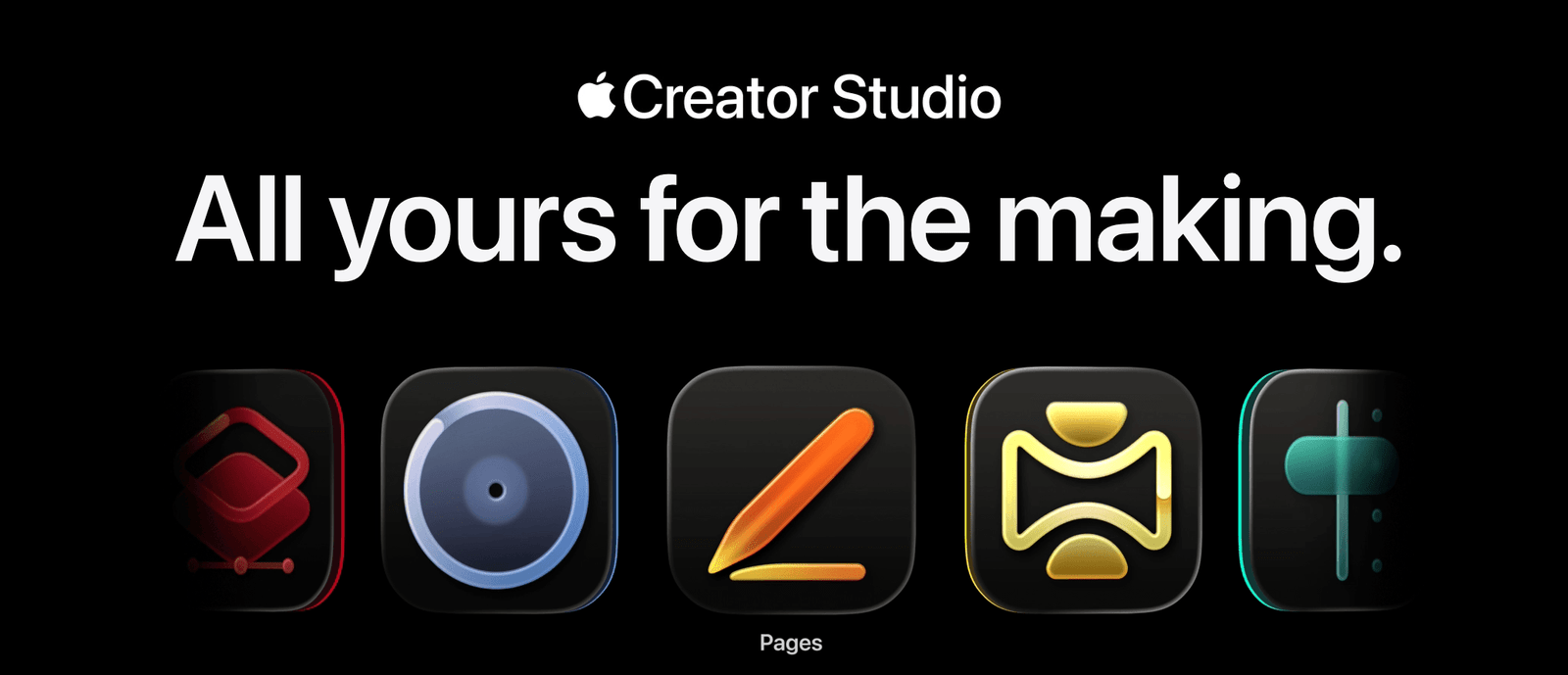
January 28, 2026 – Today marks a significant shift in the creative software landscape. Apple Creator Studio is now officially available, bundling six professional creative applications into a single subscription that costs $12.99 per month or $129 per year. This represents Apple’s most comprehensive entry into the subscription-based creative software market, and it’s positioned as an alternative to established platforms in the industry.
After spending time analyzing the offering, examining the features, and understanding the pricing structure, here’s everything you need to know about Apple Creator Studio what it includes, how it works, who it’s designed for, and whether it makes sense for your creative workflow.
What Apple Creator Studio Actually Includes
At its core, Apple Creator Studio is a subscription bundle that provides access to Apple’s professional creative applications across Mac and iPad, along with premium features in Apple’s productivity suite. Here’s the complete breakdown:
Core Creative Applications
Final Cut Pro (Mac and iPad) Apple’s professional video editing software that’s been the choice of many filmmakers, content creators, and video professionals. The Mac version is the full-featured desktop application, while the iPad version brings professional editing capabilities to a touch-optimized interface.
Logic Pro (Mac and iPad)
A comprehensive music production suite for recording, editing, mixing, and mastering audio. It includes professional-grade virtual instruments, effects processors, and a complete suite of tools for music creation from initial composition through final mastering.
Pixelmator Pro (Mac and iPad) An image editing and design application that Apple acquired in 2024. It handles photo editing, graphic design, illustration, and digital art creation. The iPad version is launching for the first time as part of Creator Studio, optimized for touch and Apple Pencil.
Motion (Mac only) A motion graphics application for creating 2D and 3D effects, titles, and transitions. It integrates seamlessly with Final Cut Pro and provides tools for animation, compositing, and visual effects work.
Compressor (Mac only) A video encoding and compression tool that works alongside Final Cut Pro. It allows for batch processing, custom export settings, and optimization for various delivery formats and platforms.
MainStage (Mac only) A live performance application that turns your Mac into a complete instrument rig, vocal processor, or guitar effects system. It’s designed for musicians who perform live and want access to Logic Pro’s instruments and effects in a performance-optimized interface.
Productivity Suite Enhancements
While Keynote, Pages, Numbers, and Freeform remain free for all users, Creator Studio subscribers gain access to:
- Content Hub: Apple-curated library of royalty-free photos, graphics, illustrations, and backgrounds
- Premium Templates: Additional templates and themes beyond the standard offerings
- AI Features: New intelligent capabilities powered by Apple Intelligence (more on these later)
The Pricing Structure Explained
Standard Pricing
Monthly: $12.99 per month
Annual: $129 per year (saving $26.88 compared to monthly)
Free Trial: One month for new subscribers
The subscription supports Family Sharing, meaning you can share access with up to five additional family members (six users total) under a single subscription.
Education Pricing
Monthly: $2.99 per month
Annual: $29.99 per year
This pricing is available to college students and educators with valid educational credentials. Education subscriptions are individual-use only and cannot be shared through Family Sharing.
Hardware Purchase Promotion
Customers who purchase a new Mac or a qualifying iPad (models with A16, A17 Pro, or M-series chips or later) receive three months of Apple Creator Studio free.
Perpetual License Options
Importantly, Apple is maintaining the option to purchase standalone Mac versions of most applications:
- Final Cut Pro: $299.99
- Logic Pro: $199.99
- Pixelmator Pro: $49.99
- Motion: $49.99
- Compressor: $49.99
- MainStage: $29.99
Total one-time cost for all Mac apps: $678.94
If you already own any of these applications, you can continue using them and redownloading them from the App Store. Your purchase remains valid.
The New AI-Powered Features
Apple Creator Studio introduces several new intelligent features across its applications, powered by Apple Intelligence and on-device machine learning:
Final Cut Pro Enhancements
Visual Search
Describe what you’re looking for in natural language, and Final Cut Pro will locate that moment in your footage. Instead of scrubbing through hours of video, you can search for “sunset over water” or “person wearing red jacket” and the software will identify matching frames.
Transcript Search
Final Cut Pro can generate transcripts of spoken audio in your video clips, then allow you to search those transcripts to find specific soundbites or dialogue moments.
Beat Detection
When you import music into your timeline, Final Cut Pro can analyze the audio and display a beat grid, making it easier to align edits with musical rhythm and create cuts that sync naturally with the music’s tempo.
Montage Maker (iPad)
An AI-assisted tool that helps you quickly assemble initial rough cuts by analyzing your footage and suggesting edit points, transitions, and pacing.
Auto Crop (iPad)
Intelligent reframing that analyzes your footage and suggests optimal crops for different aspect ratios and social media formats, maintaining important subjects in frame.
Logic Pro Additions
Synth Player
An intelligent virtual instrument that adapts to your playing style and musical context, making it easier to find the right sounds and textures for your compositions.
Chord ID
Analyzes audio recordings and identifies the chords being played, making it easier to create chord progressions or transcribe existing music.
Natural Language Search
Search through Logic Pro’s extensive sound library using descriptive terms instead of browsing through categories. Ask for “warm analog pad” or “aggressive distorted bass” and the system will suggest relevant presets.
Enhanced Session Players
AI-assisted virtual session musicians that can generate bass lines, drum patterns, and accompaniment parts that adapt to your song’s key, tempo, and style.
Pixelmator Pro Intelligence
Warp Tool (Creator Studio exclusive)
A new feature available only to Creator Studio subscribers that allows for twisting, bending, and reshaping image layers with precise control. This tool is not available in the standalone purchase version of Pixelmator Pro.
Background Removal
One-click background removal using machine learning to identify subjects and cleanly separate them from their surroundings.
Image Repair
Intelligently removes unwanted objects, blemishes, or distractions from photos by analyzing surrounding pixels and seamlessly filling the removed areas.
Super Resolution
AI-powered upscaling that increases image resolution while preserving detail and minimizing artifacts, useful for enlarging lower-resolution images for print or high-resolution display.
Color Adjustment
Automatic color correction and enhancement that analyzes the image and applies optimal adjustments for exposure, color balance, and contrast.
Productivity Suite AI Features
Keynote
- Generate complete presentation drafts from text outlines
- Create presenter notes automatically based on slide content
- Intelligent layout and object placement suggestions
Pages
- Image generation and remixing directly within documents
- Super Resolution for upscaling embedded images
- AI-assisted formatting and layout recommendations
Numbers
- Magic Fill: Pattern recognition that analyzes your data and suggests content to complete tables automatically
- Formula generation based on natural language descriptions
- Intelligent data visualization suggestions
Freeform (coming later in 2026)
- AI-assisted brainstorming and idea organization
- Automatic clustering of related content
- Smart suggestions for visual organization
Device Compatibility and Cross-Platform Experience
One of Creator Studio’s strengths is how it works across Apple’s device ecosystem:
Mac Applications
All six core applications (Final Cut Pro, Logic Pro, Pixelmator Pro, Motion, Compressor, MainStage) are available on Mac. These are the full professional versions with complete feature sets.
System Requirements: macOS 14.1 or later, with optimal performance on Apple silicon Macs (M1, M2, M3, M4 series chips).
iPad Applications
Three applications are available on iPad: Final Cut Pro, Logic Pro, and Pixelmator Pro. These are touch-optimized versions designed specifically for iPad’s interface, with full Apple Pencil support where relevant.
System Requirements: iPadOS 18 or later on iPad models with A16, A17 Pro, or M-series chips or later.
Important Note: On iPad, these applications are ONLY available through the Creator Studio subscription. There are no standalone purchase options for iPad versions.
iPhone
The iPhone doesn’t include the six core creative applications. Instead, Creator Studio subscribers gain access to premium features and content in Keynote, Pages, Numbers, and (eventually) Freeform on iPhone.
Final Cut Camera (the companion iPhone app for capturing footage for Final Cut Pro) remains free and works with or without a Creator Studio subscription.
Cross-Device Workflows
Projects created on Mac can be continued on iPad and vice versa for the applications that exist on both platforms. This allows for flexible workflows where you might:
- Capture footage with Final Cut Camera on iPhone
- Begin rough editing on iPad during commute or travel
- Complete final color grading and effects work on Mac
- Export and share from either device
Files sync via iCloud, maintaining project compatibility across devices.
Comparing to Individual Purchases: The Math
For users considering whether to subscribe or purchase apps individually, here’s the break-even analysis:
If purchasing all Mac apps individually: $678.94 one-time cost
Creator Studio subscription cost:
- After 1 year: $129
- After 2 years: $258
- After 3 years: $387
- After 4 years: $516
- After 5 years: $645
- After 5.26 years: You’ve paid equivalent to buying all apps
Considerations:
- iPad Access: The subscription includes iPad versions, which aren’t available for individual purchase
- Updates and New Features: Subscription includes all updates and new features, while perpetual licenses may not receive major version upgrades without additional purchase
- Premium Content: The Content Hub and productivity app enhancements aren’t available with individual purchases
- AI Features: Some new intelligent features (like the Warp Tool in Pixelmator Pro) are Creator Studio exclusives
Break-Even Timeline Summary:
- If you only need 1-2 apps: Individual purchase likely better
- If you need 3+ apps: Subscription becomes cost-effective within 2-3 years
- If you use iPad: Subscription is the only option for those platforms
- If you value AI features: Subscription provides exclusive access
Who Creator Studio Makes Sense For
Ideal Candidates
Multi-Disciplinary Creators
If your work spans video editing, music production, and image editing, the ability to access all tools under one subscription provides excellent value. A content creator who edits videos, designs thumbnails, and occasionally works on audio would benefit from this comprehensive access.
iPad-First Creatives
For users who primarily work on iPad, Creator Studio is the only way to access Final Cut Pro, Logic Pro, and Pixelmator Pro on that platform. If the iPad is your main creative device, this subscription enables professional-level work.
Students and Educators
At $2.99/month or $29.99/year for education pricing, this represents exceptional value. For students learning creative skills, access to professional tools at this price point removes significant financial barriers to education.
Growing Creators
Individuals who are expanding their creative skillset and want to experiment with different mediums benefit from having multiple professional tools available. You can explore video editing, then move into music production, without additional investment.
Collaborative Teams
With Family Sharing support, a single subscription can serve up to six team members or family members who share creative responsibilities. This makes it cost-effective for small production teams or creative families.
Apple Ecosystem Committed Users
If you already own multiple Apple devices and appreciate the seamless integration across Mac, iPad, and iPhone, Creator Studio extends that ecosystem advantage to your creative workflow.
Less Ideal For
Single-Application Specialists
If you only use Final Cut Pro and have no need for music production or image editing, purchasing Final Cut Pro for $299.99 one-time might be more economical than an ongoing subscription, especially if you plan to use it for many years.
Windows or Android Users
Creator Studio requires Apple hardware and operating systems. If you primarily work on Windows PCs or use Android devices, this bundle isn’t accessible to you.
Adobe-Dependent Workflows
If your professional workflow is deeply integrated with Adobe applications (Photoshop, Illustrator, InDesign, Premiere Pro), switching to Creator Studio may require significant workflow adjustments and potential compatibility challenges with collaborators.
Casual Users with Limited Needs
If you only occasionally need creative software and your requirements are basic, free alternatives (iMovie, GarageBand, Photos app) or lower-cost options might be more appropriate than a monthly subscription.
The Adobe Creative Cloud Comparison
The most common comparison is to Adobe Creative Cloud, which has been the industry standard for creative subscriptions. Here’s how they stack up:
Pricing
Adobe Creative Cloud Pro: $69.99/month or $779.88/year
Apple Creator Studio: $12.99/month or $129/year
Apple’s offering costs approximately 1/6th of Adobe’s price, representing substantial savings—about $650 per year.
Application Count
Adobe: 22 applications including Photoshop, Illustrator, InDesign, Premiere Pro, After Effects, Audition, Lightroom, and many more specialized tools.
Apple: 6 core applications plus productivity suite enhancements.
Adobe provides broader coverage across more creative disciplines, while Apple focuses more narrowly on video, audio, and image editing.
Perpetual License Availability
Adobe: No perpetual licenses available; subscription is required for all applications.
Apple: Perpetual licenses still available for Mac versions of all core apps, providing an alternative to subscription.
This represents a significant philosophical difference. Apple is maintaining purchase options while Adobe fully transitioned to subscription-only years ago.
Platform Support
Adobe: Available on both Windows and macOS, with some applications on iPad.
Apple: macOS and iPadOS only, with no Windows support.
Industry Integration
Adobe: Dominant in professional industries with established workflows, file formats, and collaboration standards.
Apple: Strong presence in video editing (Final Cut Pro has significant professional adoption) and music production (Logic Pro is industry-standard), but less dominant in design and photography professional markets.
AI and Intelligence Features
Adobe: Extensive AI features through Adobe Sensei and Adobe Firefly, with generative capabilities for images, vectors, and video.
Apple: Apple Intelligence integration with focus on productivity enhancement and workflow optimization rather than generative creation.
Value Proposition
For creators who need the full breadth of Adobe’s tools or work in industries where Adobe files and workflows are standard, Creative Cloud remains necessary despite higher cost.
For creators working primarily in Apple’s ecosystem who focus on video, audio, and image work, Creator Studio provides professional-quality tools at significantly lower cost.
Feature Parity Concerns
An important consideration is that some features in Creator Studio-exclusive applications differ from standalone purchase versions:
Pixelmator Pro
According to Apple’s FAQ, “The Apple Creator Studio version of Pixelmator Pro includes access to the Warp Tool feature.”
This suggests that certain features are exclusive to the subscription version and won’t be available in the $49.99 standalone purchase version. This creates a two-tier system within the same application.
Ongoing Feature Development
Apple’s website states that “access to some of the premium content is available only to Apple Creator Studio subscribers.”
This language suggests that as new features and capabilities are developed, some may be designated as subscription-exclusive, potentially creating growing feature gaps between subscription and perpetual license versions over time.
Implications
For users considering perpetual licenses, it’s important to understand that the standalone purchase version may not receive all new features that subscription versions get. This is similar to how many software companies handle feature updates, but it’s worth noting when making the purchase vs. subscription decision.
The Strategic Picture: What Apple Is Doing
Beyond the immediate offering, it’s worth understanding Apple’s broader strategy with Creator Studio:
Services Revenue Focus
Apple has been increasingly focused on growing its services revenue, which includes subscriptions like Apple Music, Apple TV+, iCloud+, and now Creator Studio. Services represent a predictable, recurring revenue stream that investors value highly.
Ecosystem Reinforcement
Creator Studio strengthens the value proposition of owning multiple Apple devices. The cross-device workflows and iPad-exclusive access to these professional tools provide additional reasons to stay within the Apple ecosystem.
Education Investment
The extremely low education pricing ($2.99/month) isn’t about immediate profit it’s about establishing habits. Students who learn creative workflows using Apple’s tools are more likely to continue using them professionally, creating long-term customer relationships.
Hardware Sales Support
Creator Studio provides additional justification for purchasing higher-end Macs and iPads. The three-month free trial for hardware purchases creates an immediate value-add that makes the device purchase feel more worthwhile.
Competitive Positioning
By offering professional creative tools at a fraction of competitors’ pricing, Apple makes it more difficult for users to justify switching to Windows or Android devices, even if the hardware costs more upfront.
Common Questions and Practical Considerations
Can I Use These Apps Offline?
Yes. The applications download to your device and run locally. You don’t need continuous internet connection to use them. Internet is only required for:
- Initial download and authentication
- Accessing cloud-synced projects
- Using features that require online resources (stock content, some AI features)
What Happens If I Cancel My Subscription?
If you cancel Creator Studio:
- You lose access to the six core creative applications
- Projects created in these apps remain intact but cannot be opened without resubscribing or purchasing the standalone version
- Premium features in Keynote, Pages, and Numbers become unavailable (but the apps remain functional with standard features)
- You can resubscribe at any time to regain access to projects and features
Can I Mix Subscription and Purchased Versions?
Yes. If you already own Final Cut Pro purchased separately, you can continue using that while subscribing to Creator Studio to access Logic Pro and other apps. The apps coexist without conflict.
Do Collaborative Partners Need Subscriptions?
Project files can be shared with anyone. A collaborator doesn’t need Creator Studio to open a Final Cut Pro project—they just need Final Cut Pro itself (either through subscription or purchase). The subscription requirement is per-user, not per-project.
Is Family Sharing Transferable?
The subscription holder controls Family Sharing access and can add or remove family members at any time. Each family member logs in with their own Apple ID and accesses the apps independently.
Looking Ahead: Future Considerations
Feature Development Trajectory
As Apple continues developing these applications, it will be important to monitor:
- Which new features remain available to perpetual license holders
- How significant the feature gap becomes between subscription and purchase versions
- Whether major version updates require additional purchases for license holders
Application Additions
Apple could potentially add new applications to the bundle over time. Candidate applications that might make sense:
- Aperture (if Apple revives its photography workflow app)
- Additional music production tools
- New iPad-optimized creative applications
Pricing Evolution
While current pricing is attractive, subscription services can increase prices over time. Adobe’s Creative Cloud has seen multiple price increases since launch. It’s reasonable to expect that Creator Studio pricing may increase in future years as the offering matures.
Competitive Response
How Adobe and other creative software companies respond to Creator Studio’s pricing will shape the market. Competitive pressure could lead to:
- Price reductions from competitors
- New bundle configurations
- Enhanced feature offerings
- Different payment models
The Bottom Line
Apple Creator Studio represents a comprehensive creative software bundle that provides legitimate professional-grade tools at a very competitive price point. At $12.99 per month, it costs substantially less than competing offerings while delivering capable applications across video, audio, and image editing.
For multi-disciplinary creators within the Apple ecosystem, particularly those who work across Mac and iPad, the value proposition is strong. The inclusion of AI-powered features, cross-device workflows, and premium content enhances the offering beyond just application access.
However, it’s not universally the best choice. Single-application specialists who plan to use these tools for many years may find perpetual licenses more economical. Users committed to other ecosystems or software platforms may find the platform limitations restrictive.
The most important consideration is honestly assessing your needs:
- How many of these applications will you actually use?
- Do you work across multiple Apple devices?
- Do you value the new AI features and premium content?
- Does subscription flexibility outweigh the long-term cost of perpetual ownership?
For the right user someone who creates across multiple mediums, values the Apple ecosystem integration, and appreciates having professional tools accessible across devices—Creator Studio offers exceptional value. For others, the traditional purchase model or alternative software platforms may still make more sense.
The availability today means interested users can try the one-month free trial to assess whether the applications, features, and workflow integration align with their creative needs before committing to ongoing subscription costs.
What’s your take on Apple Creator Studio? Are you planning to subscribe, stick with individual app purchases, or continue with your current creative software setup? Share your thoughts and questions—I’d love to hear how other creators are thinking about this new offering.
Leave a Reply